

 Share
Share





Published on Sat. 24 Oct. 2025 à 19:00 by Clément Legoubé - Développeur Team BNK
¿Cómo inscribir a mis competidores en el Open de Bayeux 2025?
#compétitions #divers
 Reading : 4 min

» • Bayeux
¡Descubra un tutorial completo sobre cómo inscribir a sus competidores en el Open de Bayeux 2025! Atención, fecha límite: 30/11/25.
REGISTRATION DEADLINE FOR THE 2025 BAYEUX OPEN: 30 NOVEMBER 2025!
Hello everyone !
Find out how to register your competitors for the Bayeux Open 2025 in this article!
Here are the different steps to follow :
- Create an accout on the website https://basse-normandie-kyokushin.fr/fr/ :
- Go to https://basse-normandie-kyokushin.fr/fr/
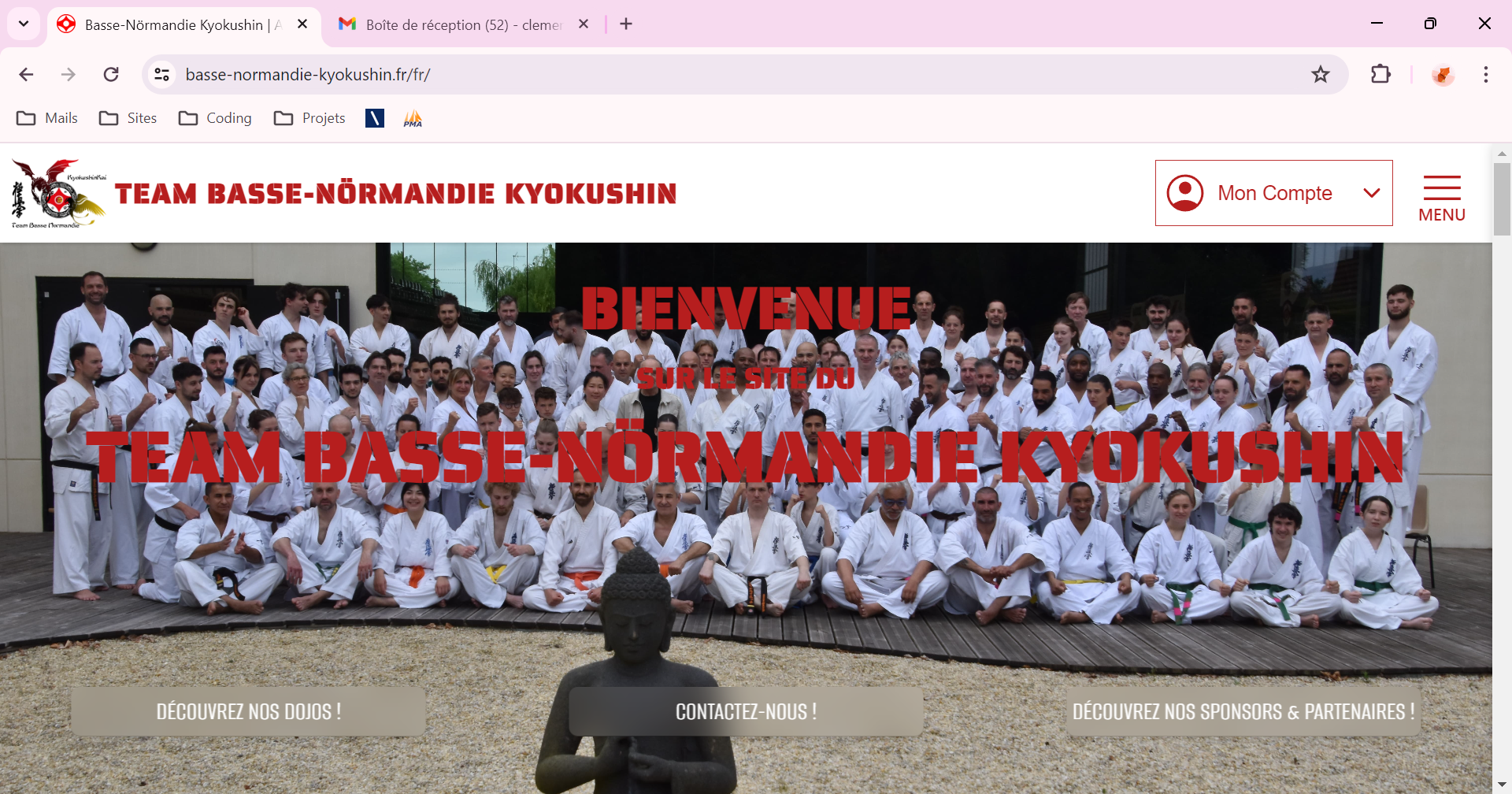
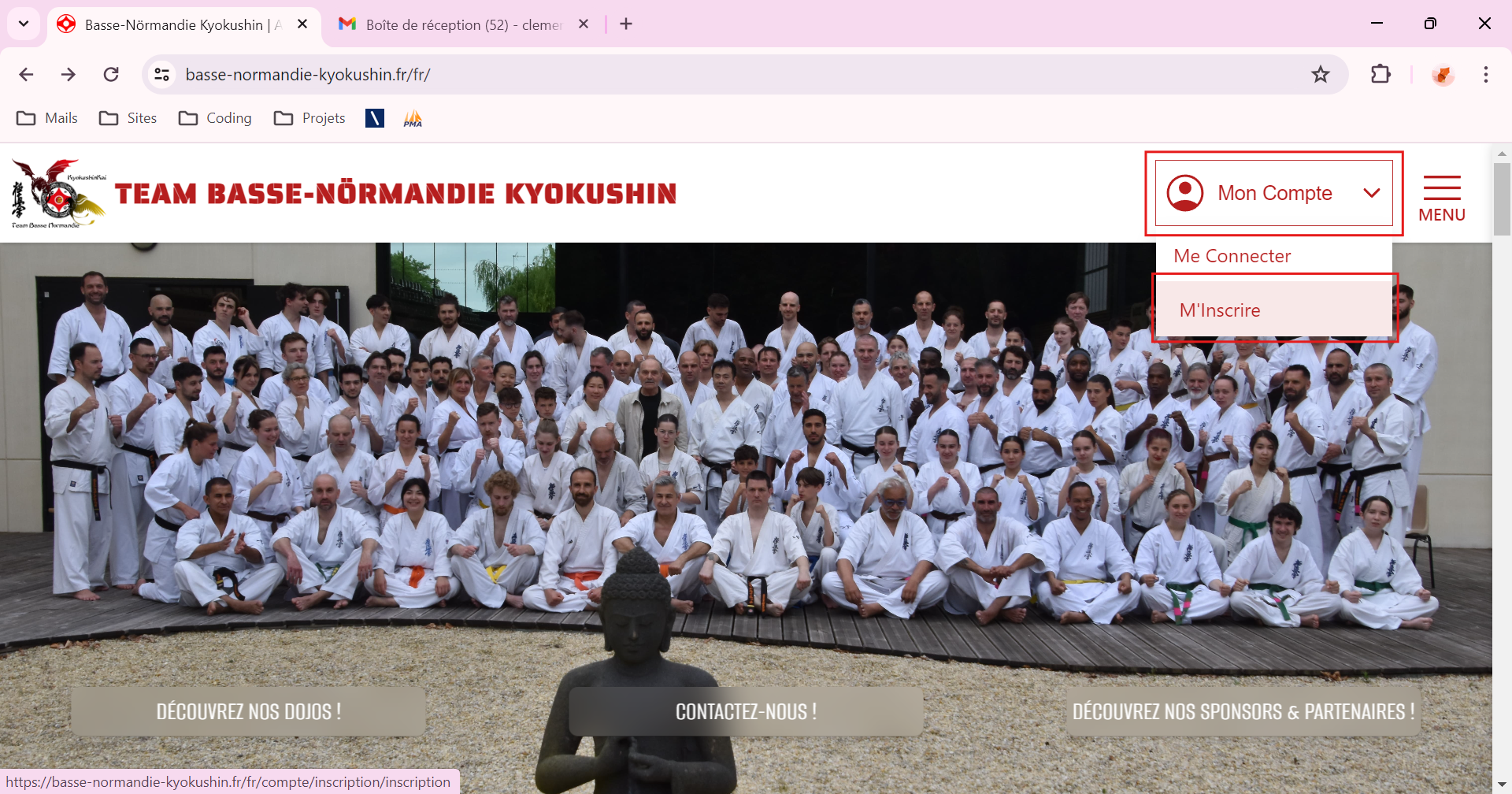
- Hover or click on "My Account" and then on "Sign Up"
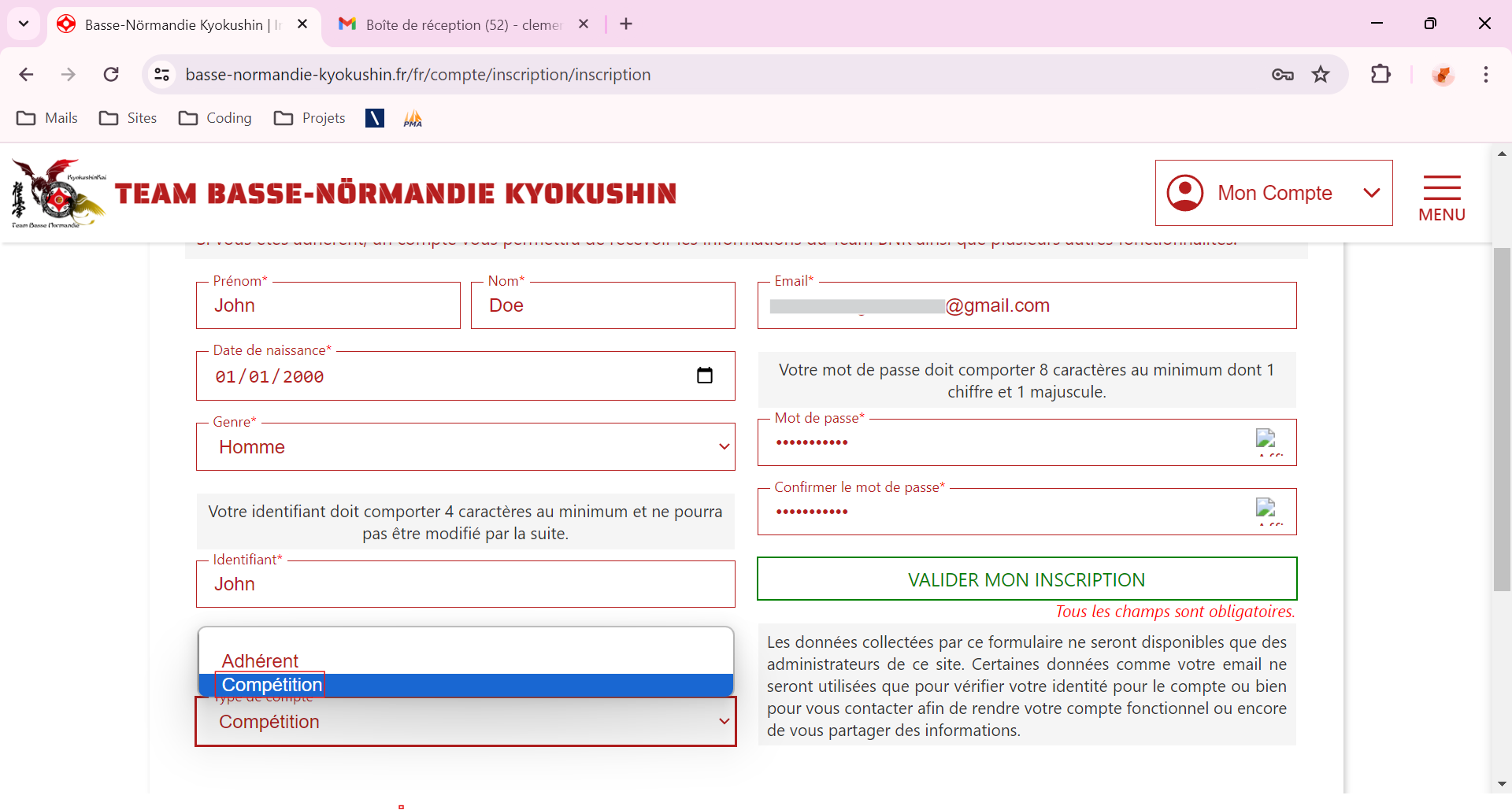
- You will be redirected to the registration page, fill in all the fields :
- Choose "Tournament" ;
- Then click on "Validate my Registration"
- Check your email inbox (corresponding to the email address you entered), click on the email from "Team BNK" :
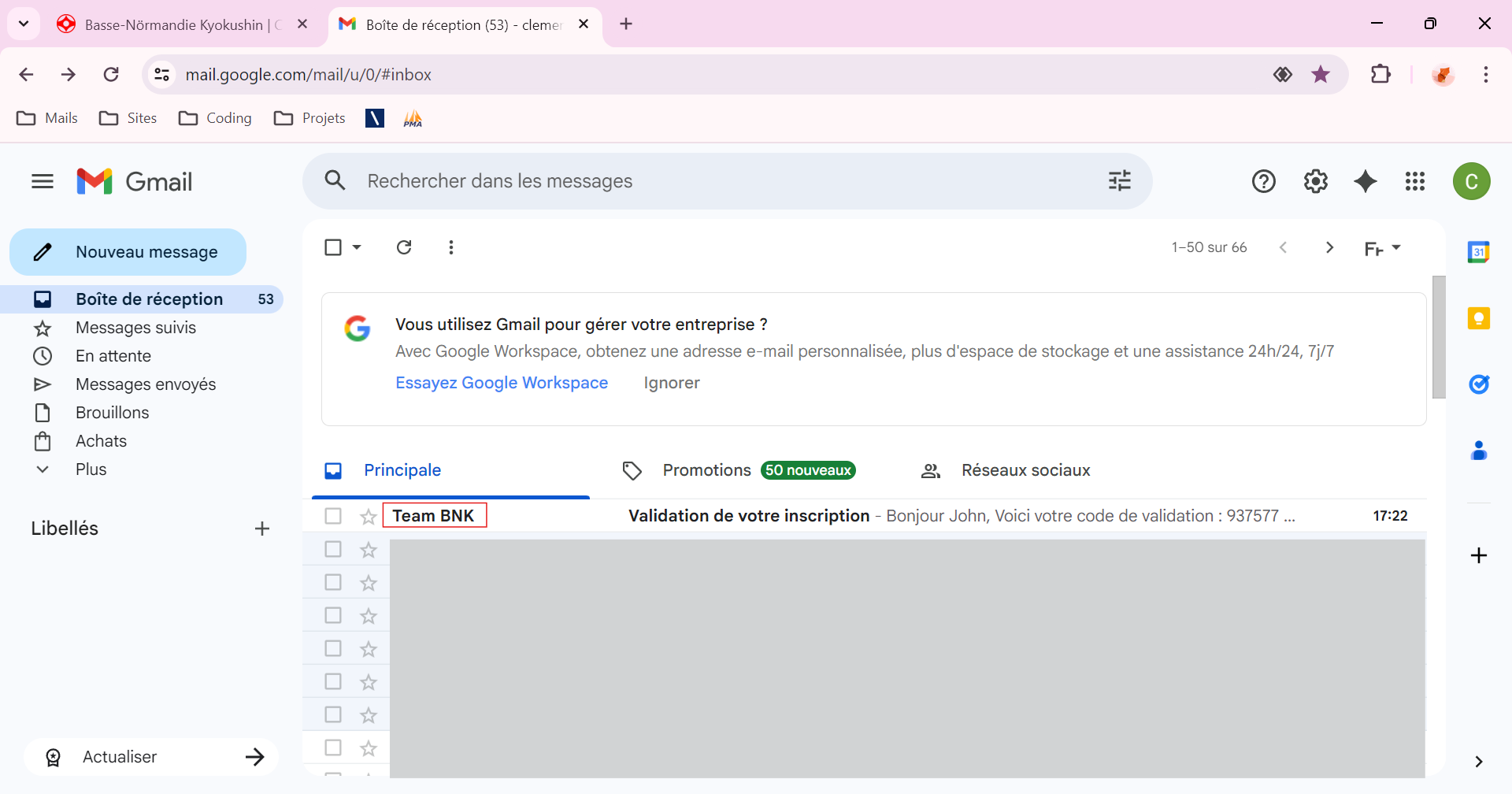
- Then open this email and click on "Confirmer mon compte" (Caution : this chode is only valid 2 hours) :
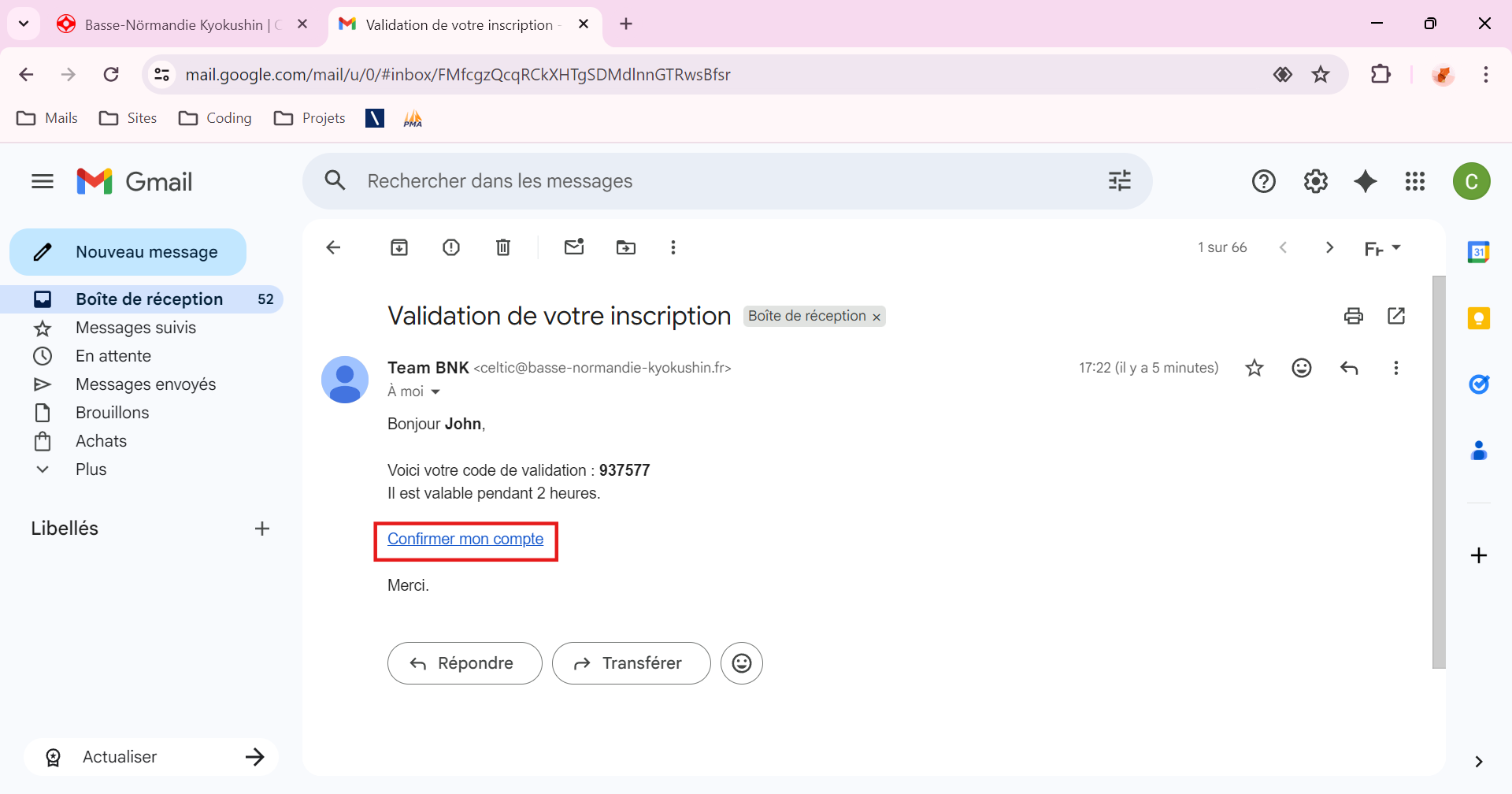
- You will be redirected to the confirmation page. Click on "Confirm" :
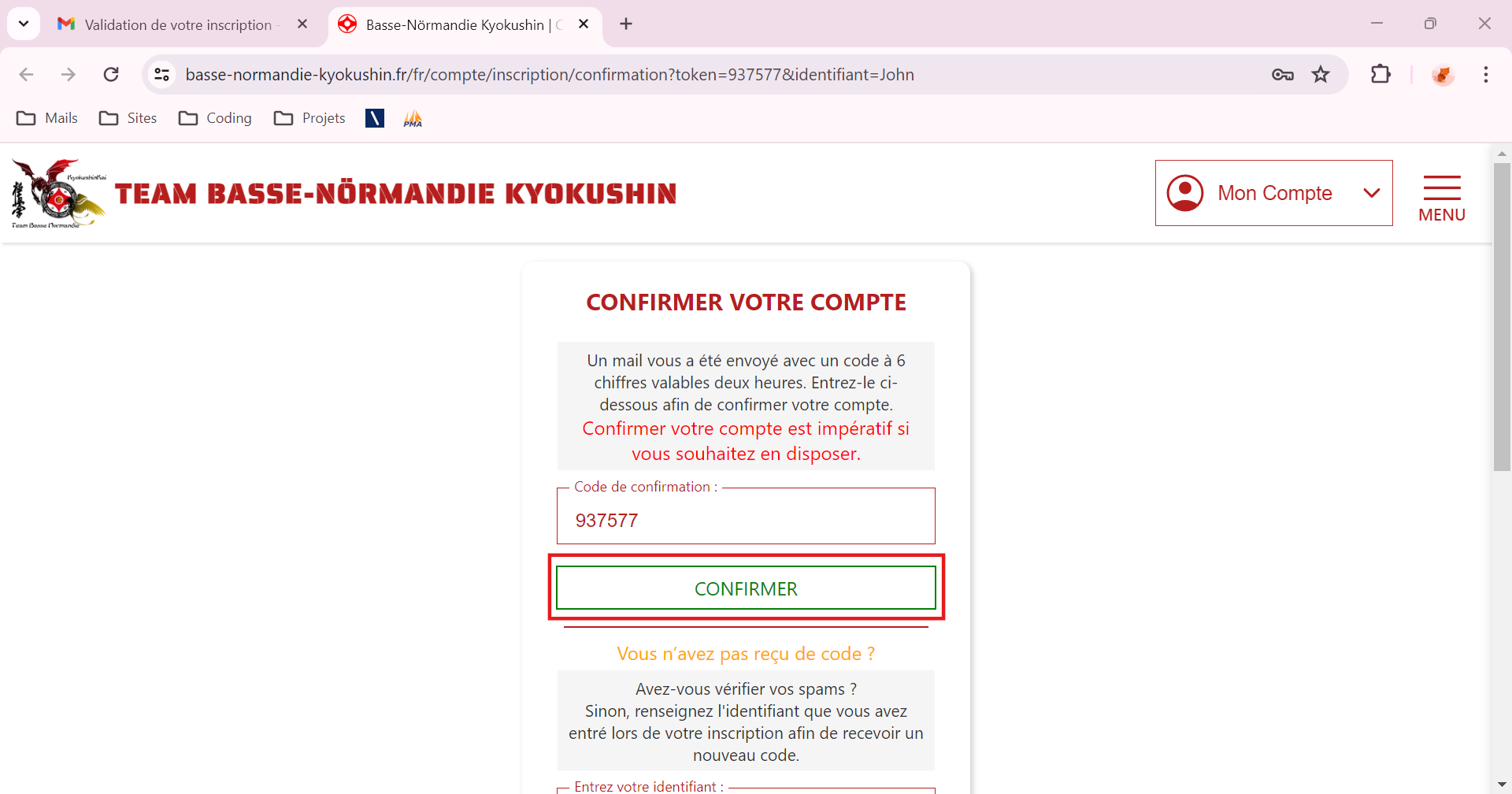
- You will be redirected to the login page.
- Enter the required login information (Username OR Email + Password) ;
- Click on "Log In"
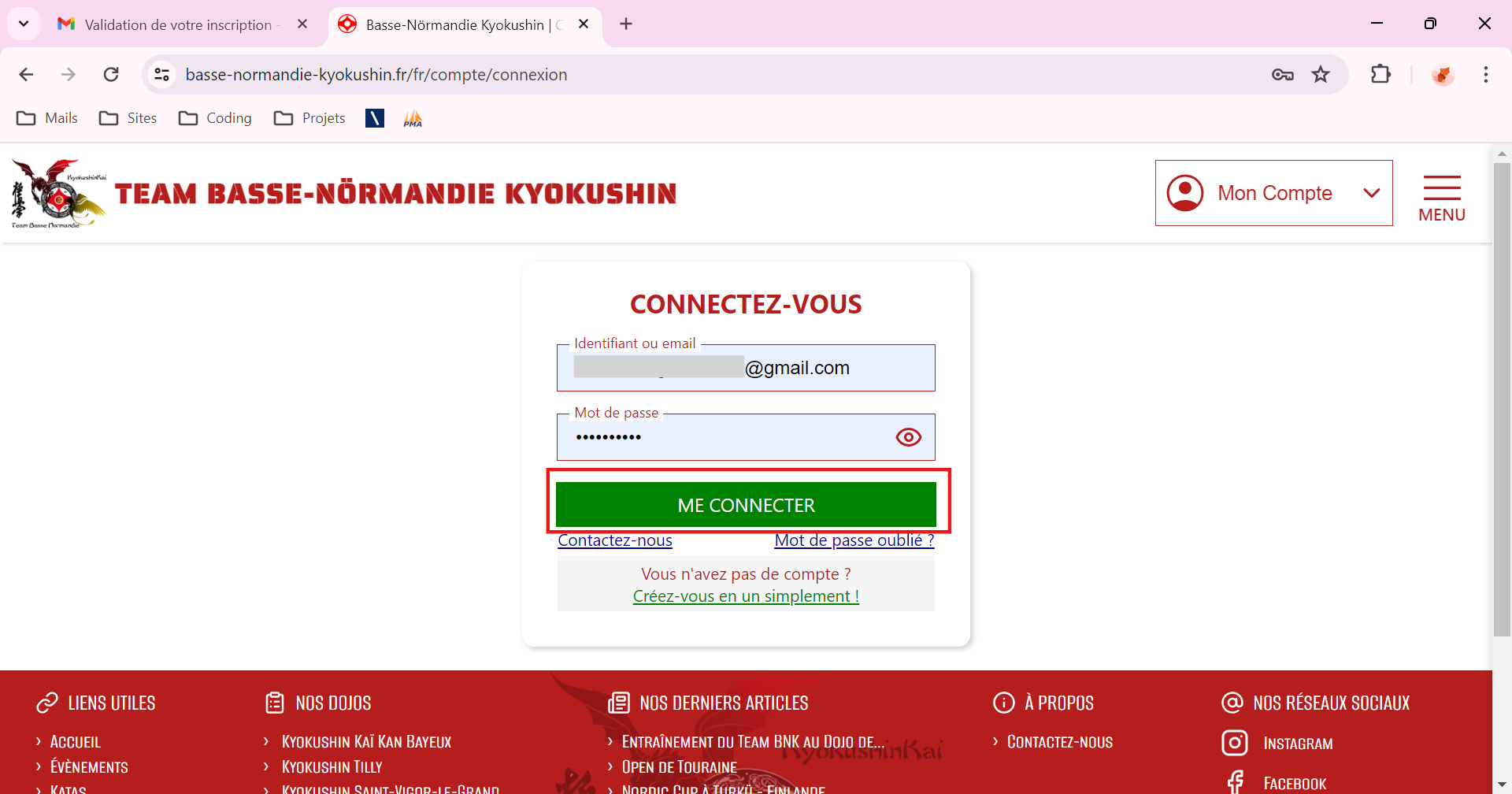
- Go to https://basse-normandie-kyokushin.fr/fr/
- Create your Coach Profile :
- You will be redirected to your dashboard. Click on "Manage my Tournaments ..." ou "Tournament Data" :
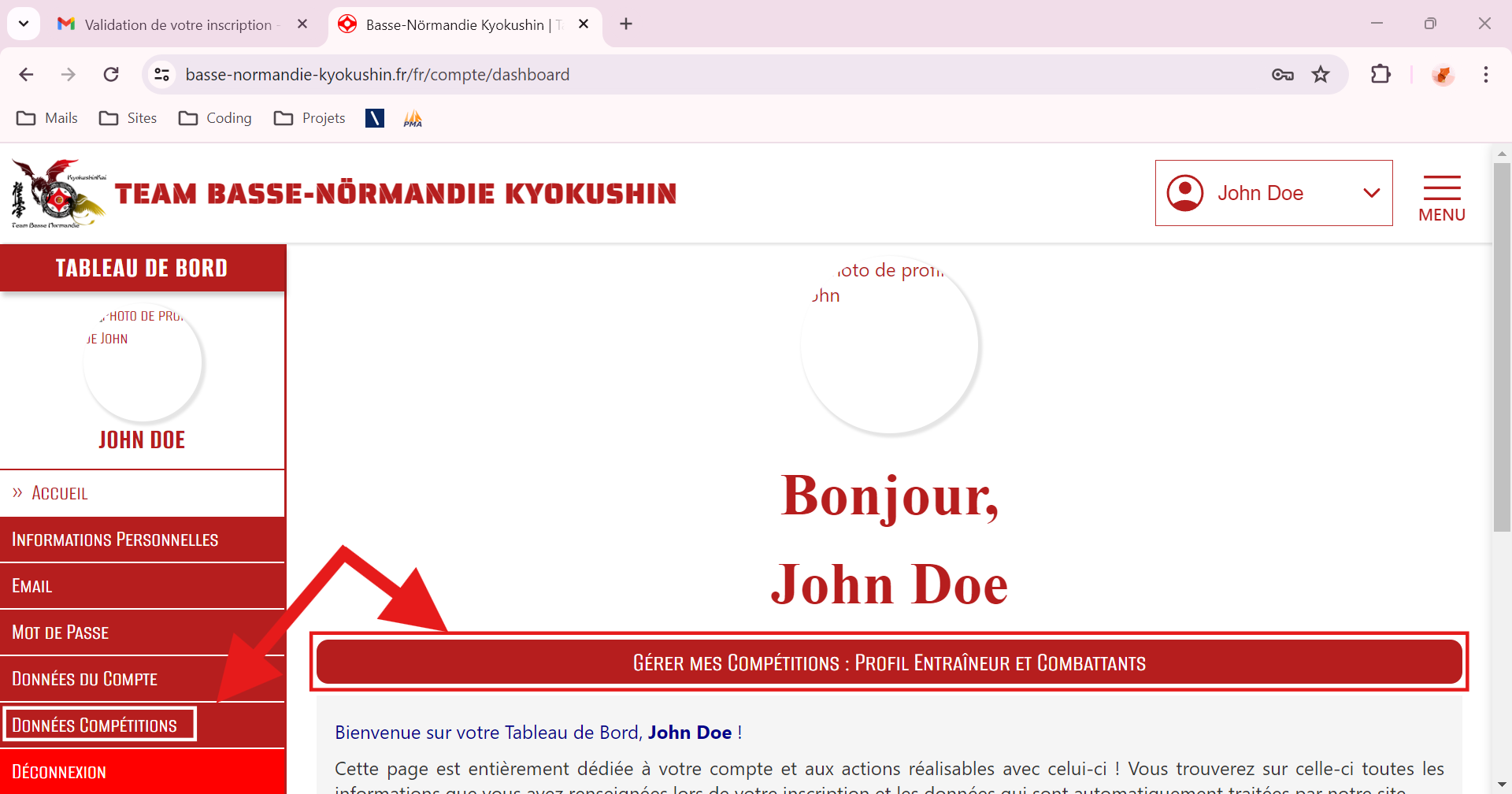
- You will be redirected to your Coach Dashboard, click on "Create my Coach Profile" :
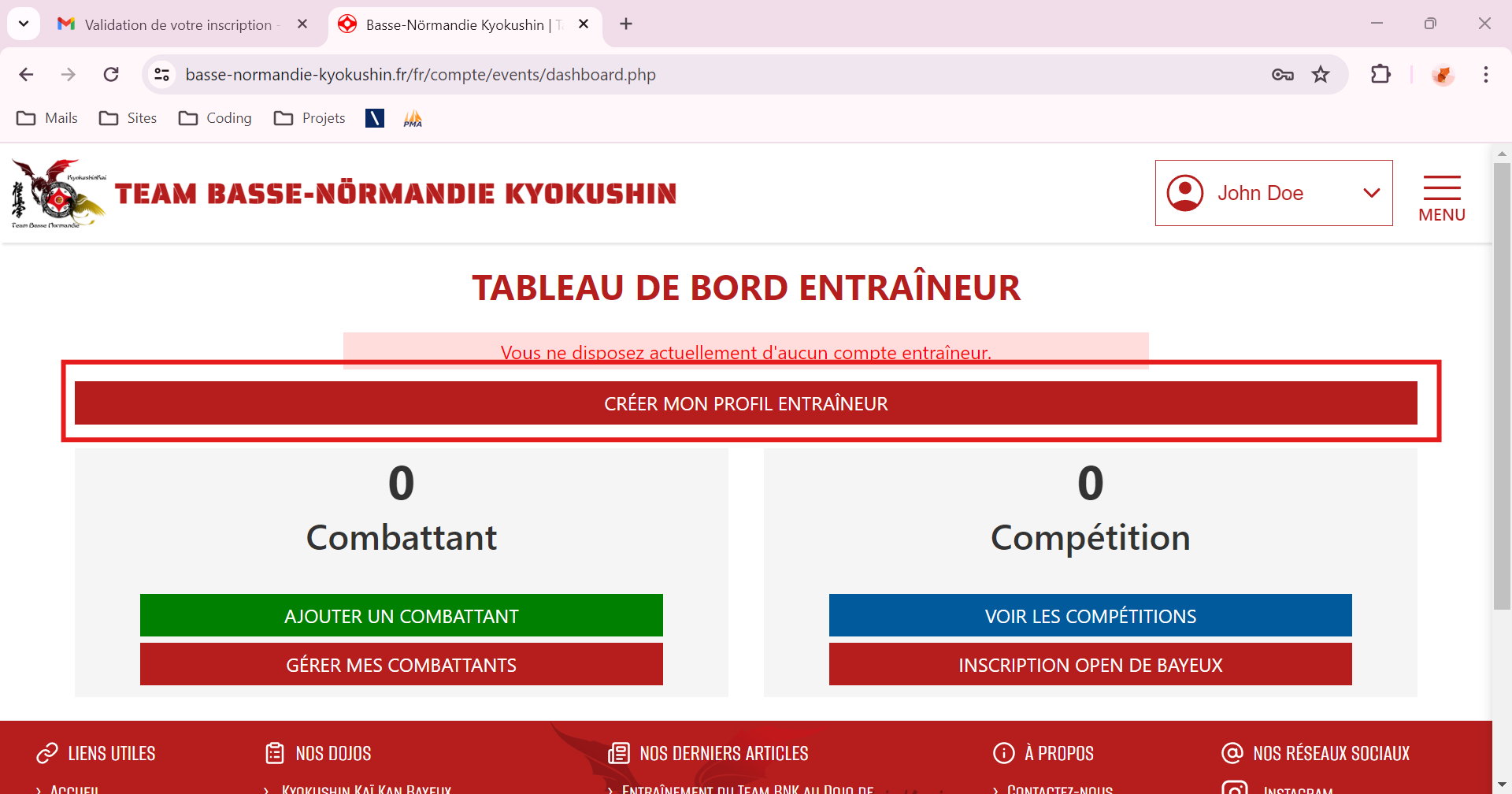
- You will be redirected to a page where you can create a coach (If your club is not recorded on our website, click on "Create my Club") :
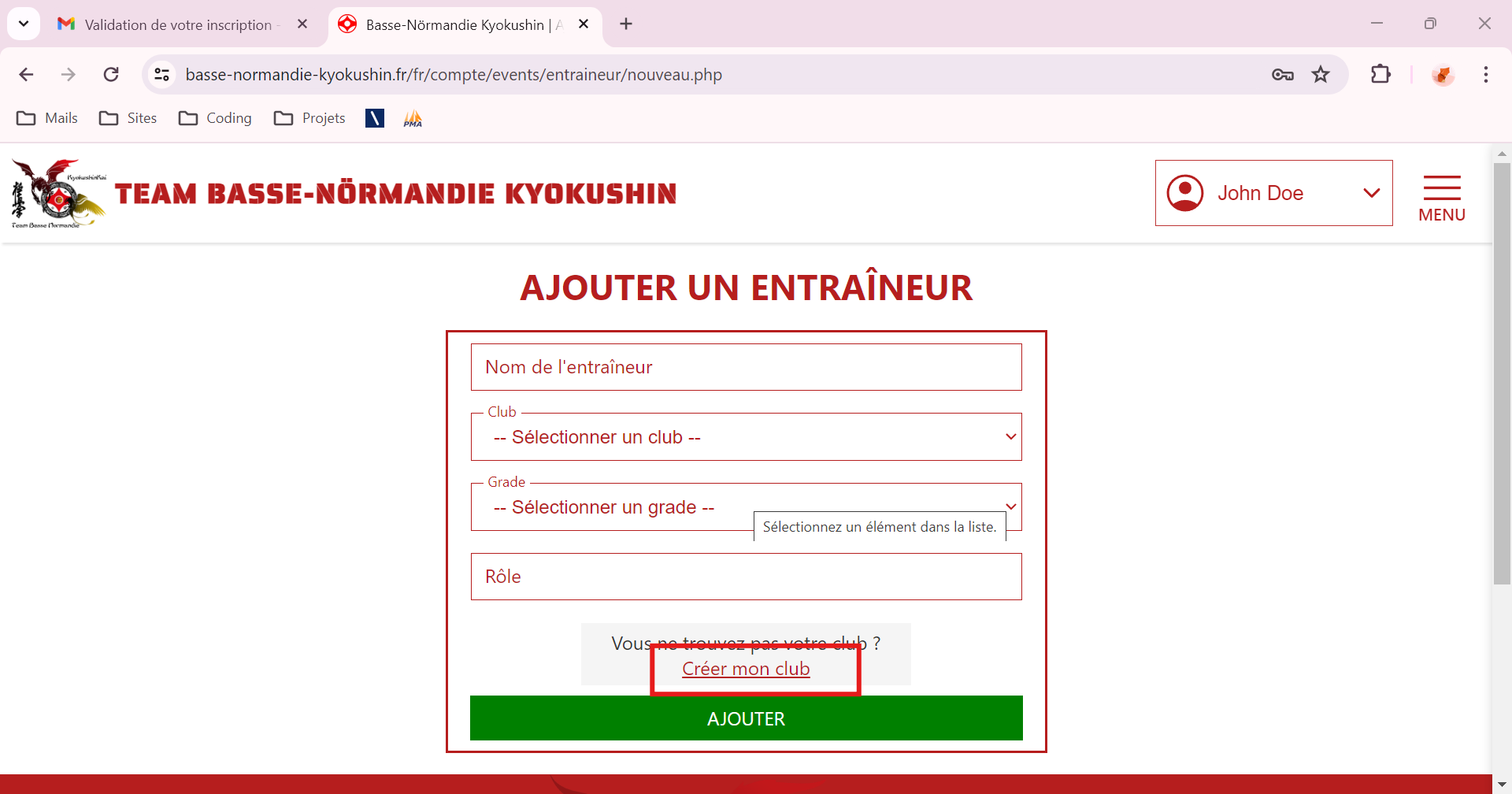
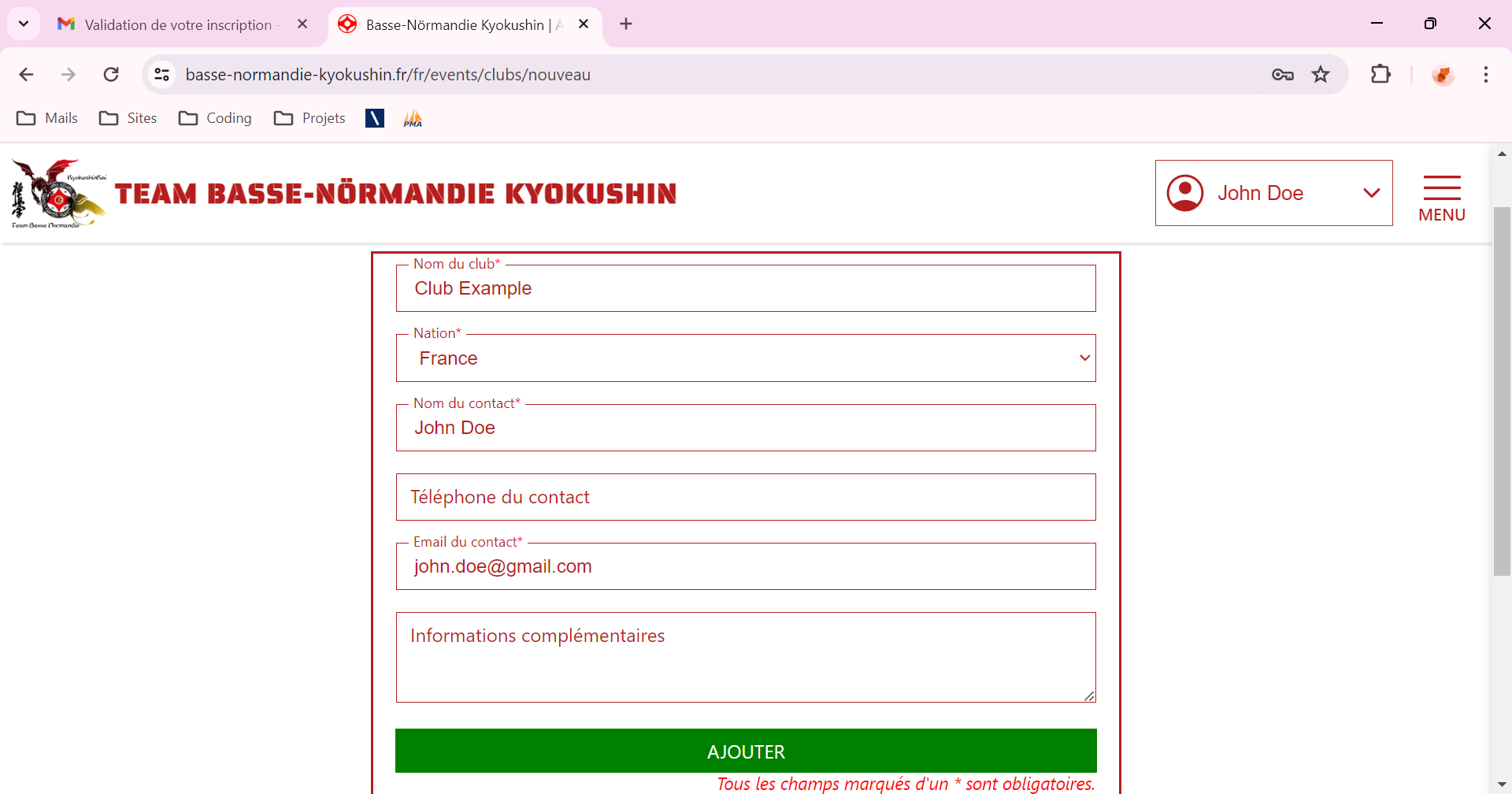
- You will be redirected to a page where you can create your club, enter the required information at least, then click on "Add" :
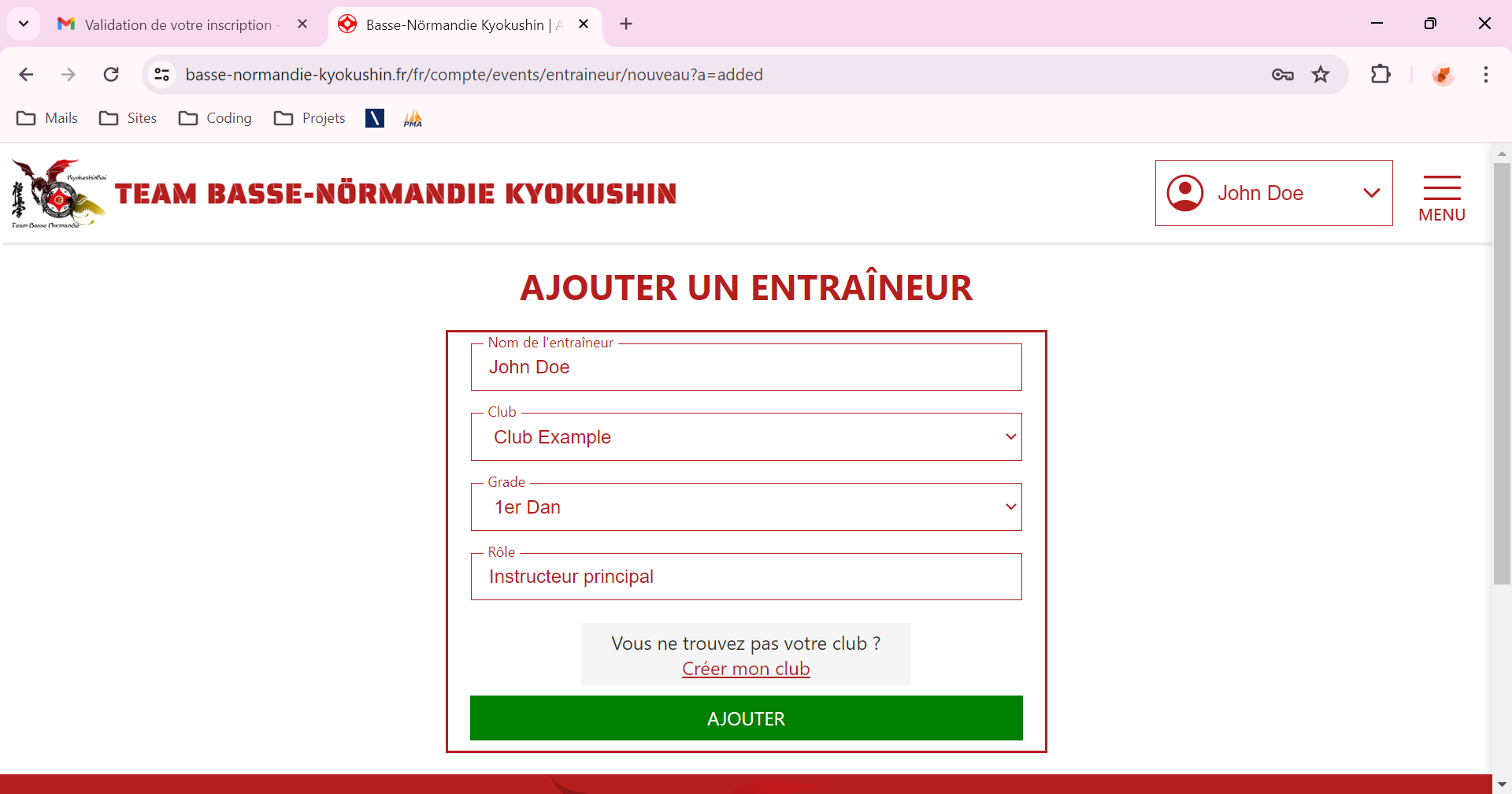
- You come back on the creation page of a coach profile, fill in all the fields, then click on "Add" :
- You will be redirected to your dashboard. Click on "Manage my Tournaments ..." ou "Tournament Data" :
- Create your Competitors :
- You come back on your Coach Dashboard, click on "Add a Fighter" :
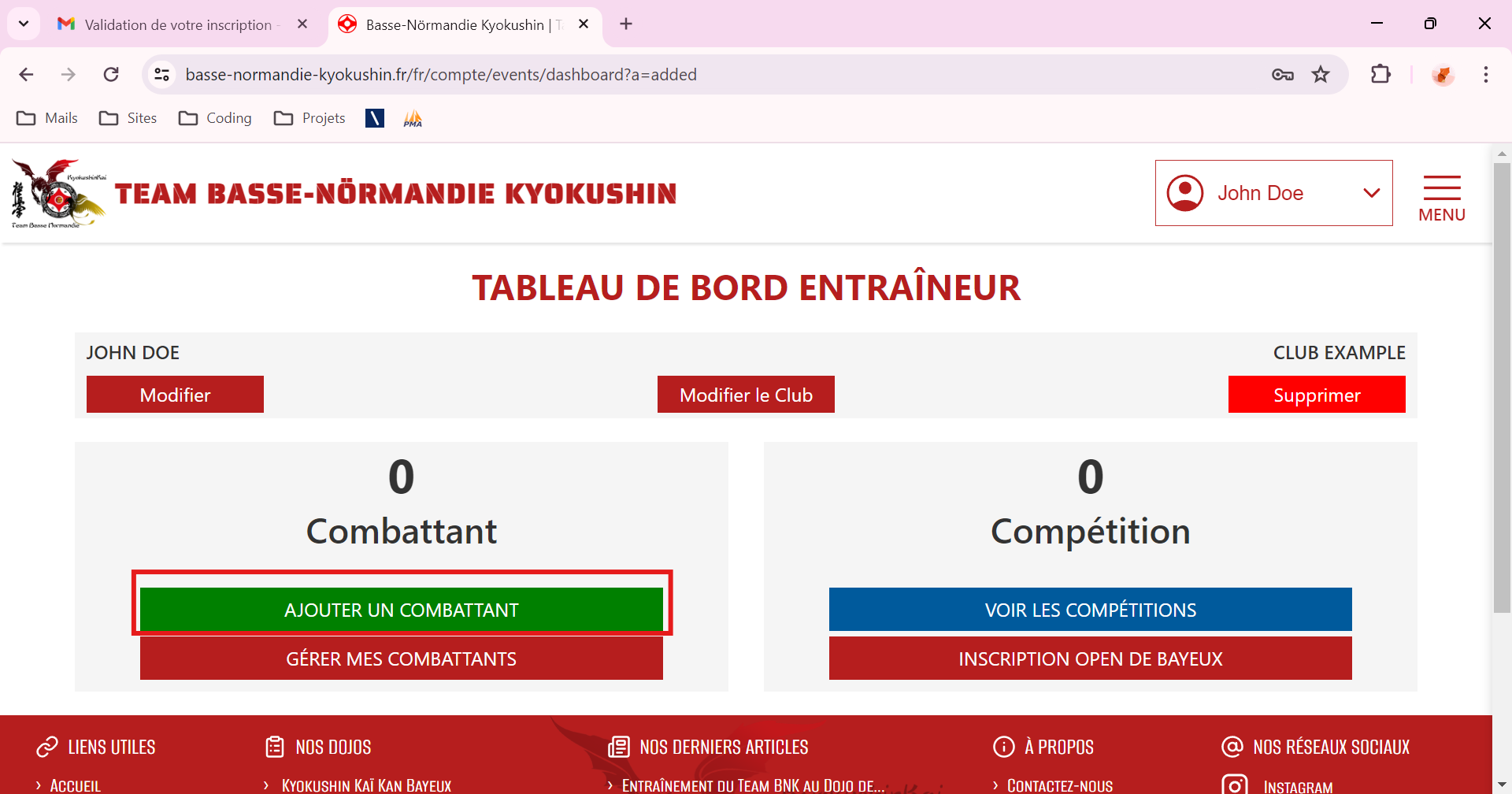
- You wille be redirected to a page where you can create a competitor, fill in all the required fields then click on "Add the Fighter" :
=> You're allowed to add as many fighters as you want.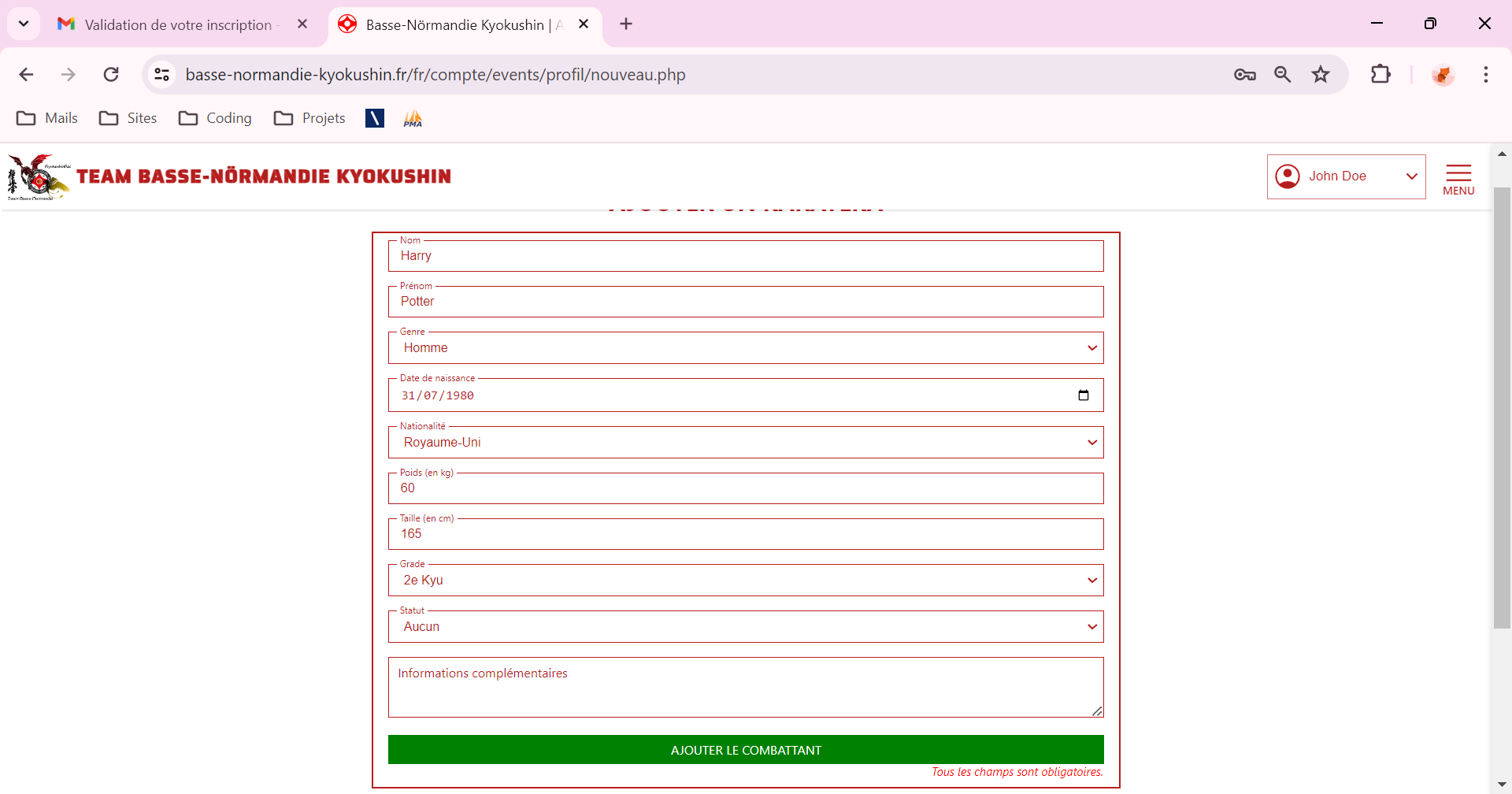
- You come back on your Coach Dashboard, click on "Add a Fighter" :
- Register your fighters for the Bayeux Open :
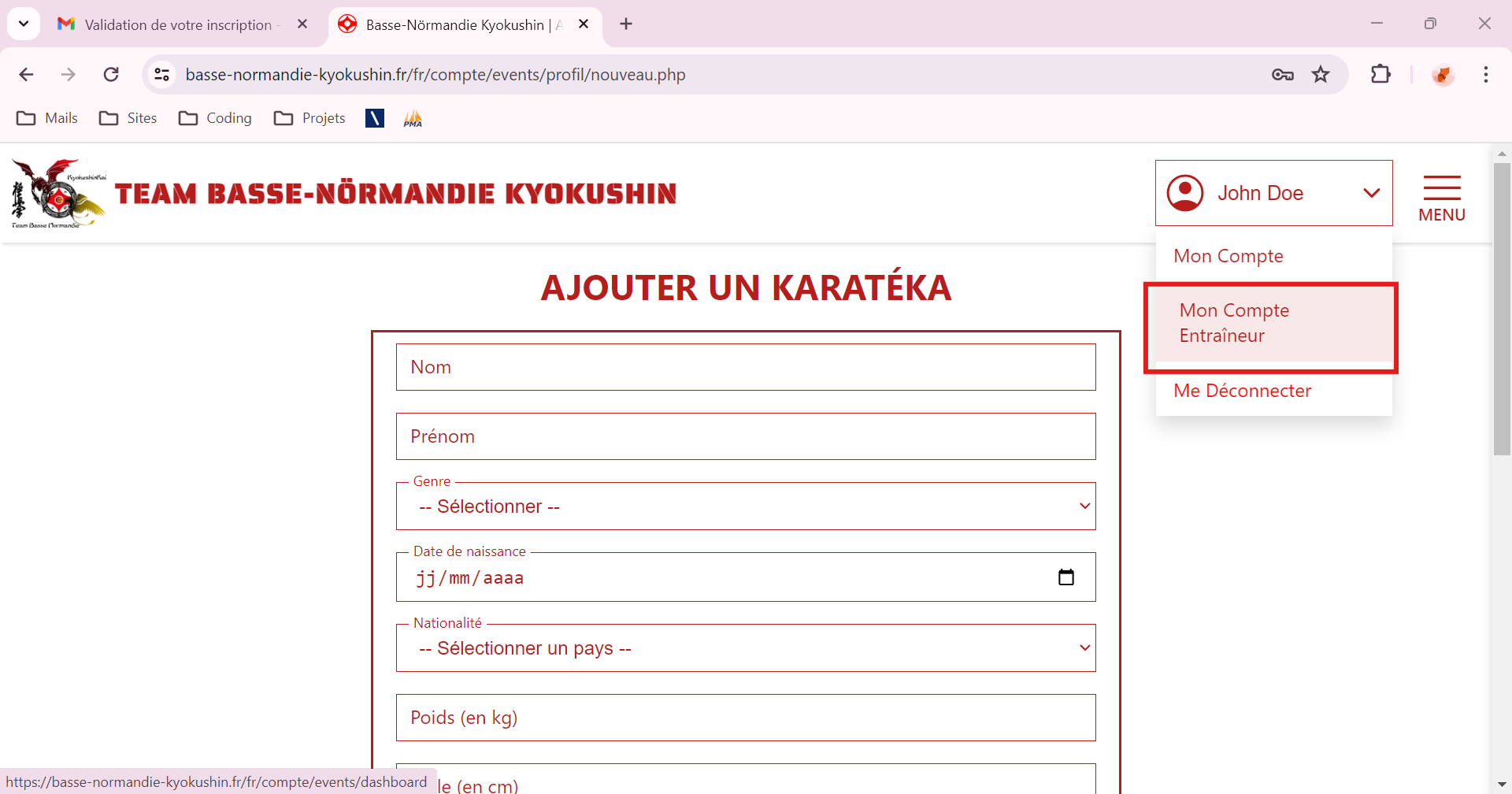
- Click on "My Coach Account" under your name :
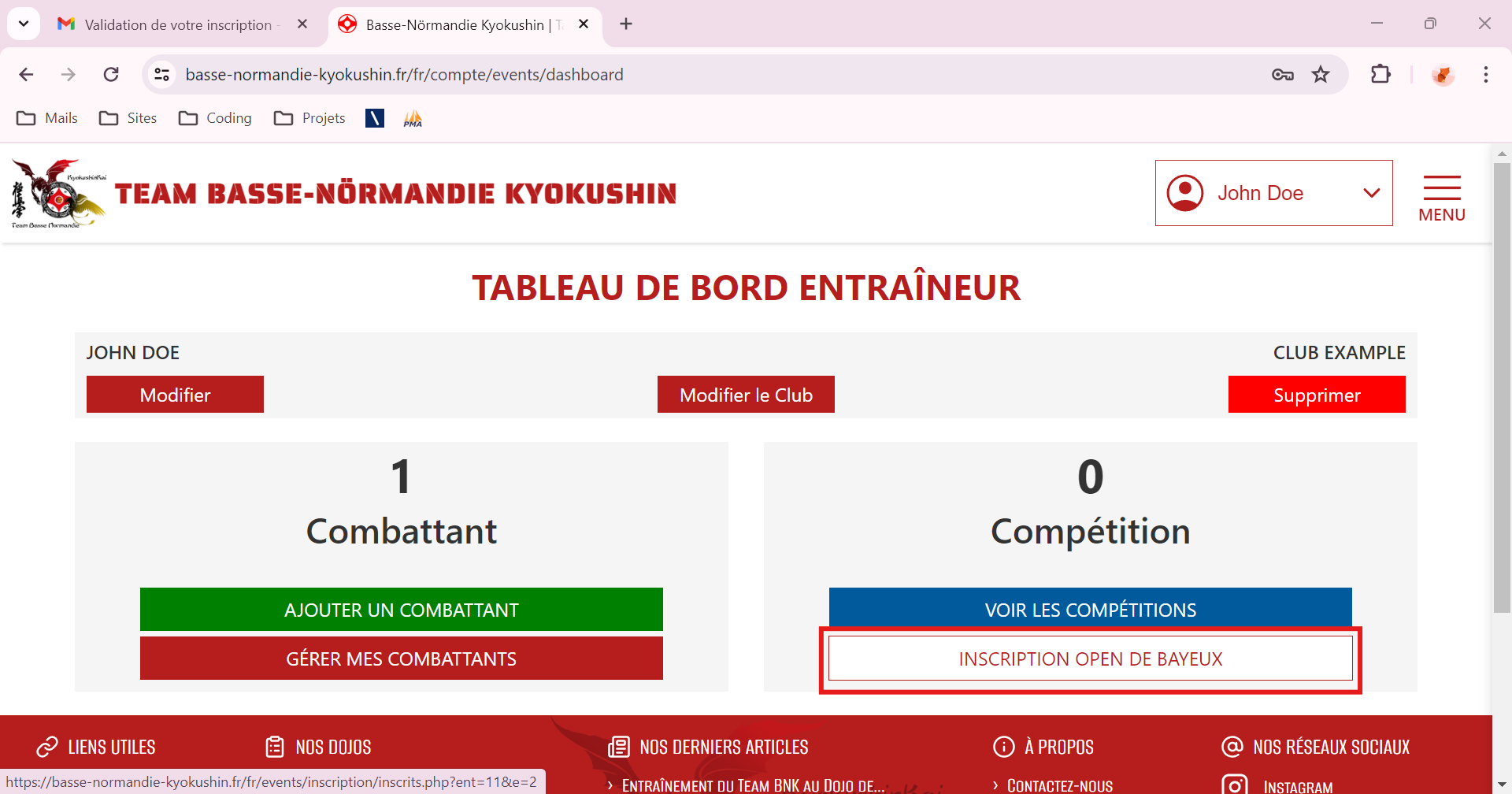
- On your Coach Dashboard, click on "Registration - Bayeux Open" :
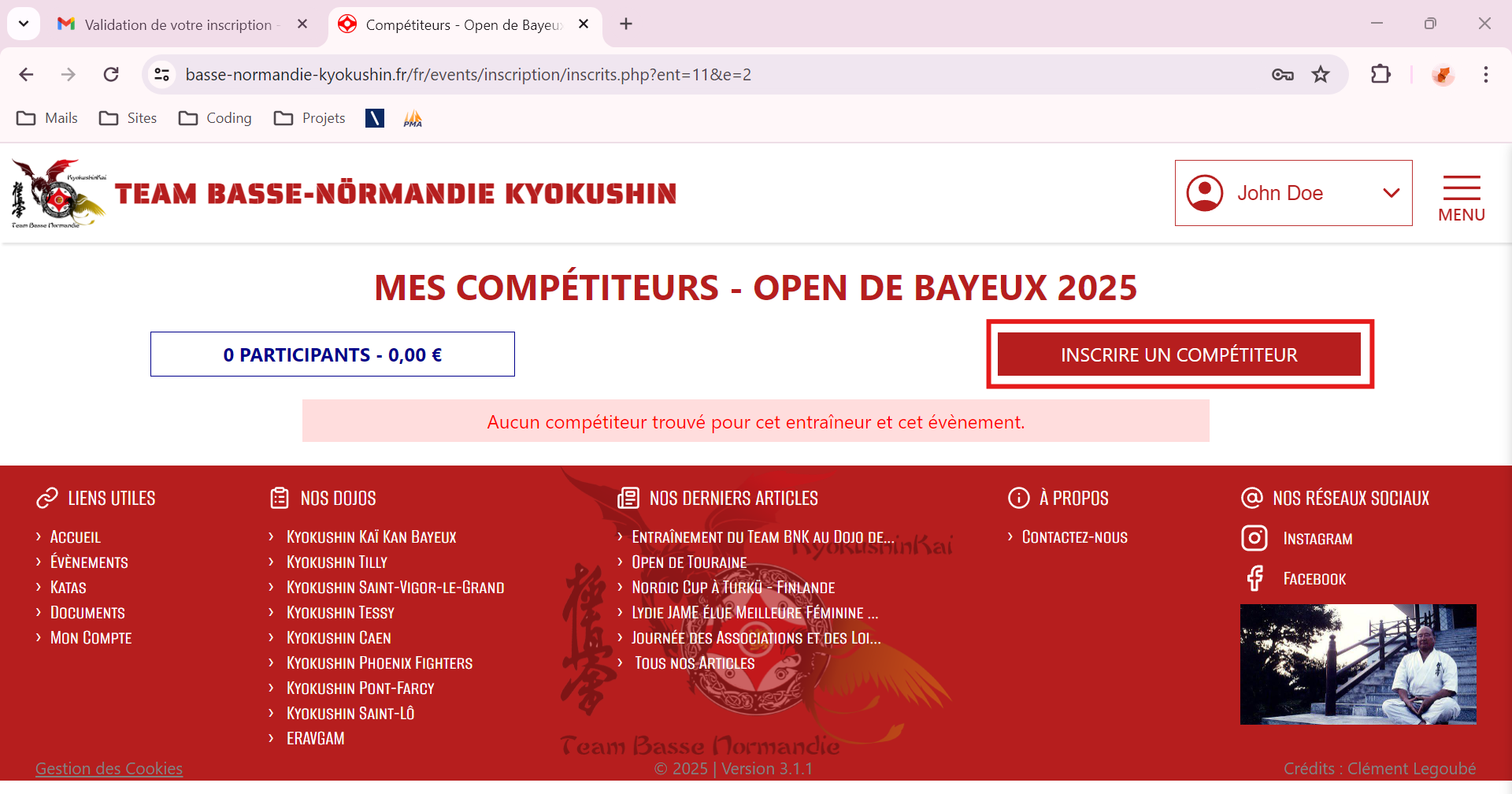
- You will be taken to a summary of your competitors registered for this competition. To register a competitor, click on "Register a Competitor" :
- You will be taken to the Bayeux Open registration page. Select your competitor via "Search a Competitor" then choose categories, etc., then click on "Validate my Registrations" :
=> No payments will be made via the website.
=> All registrations can be modified or deleted at any time.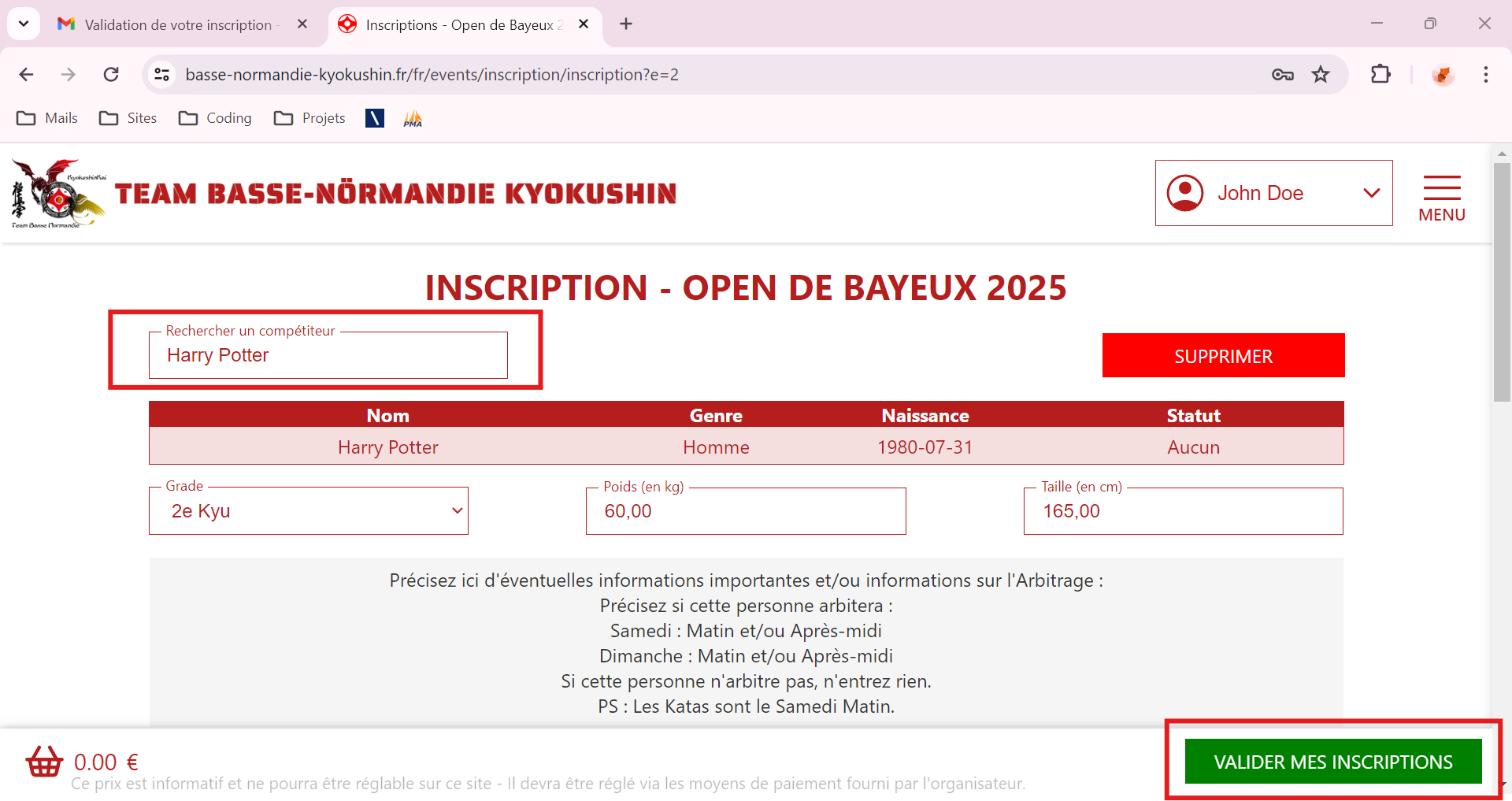
- Click on "My Coach Account" under your name :
And now, you know how to register a competitor !
For any questions, contact-us !